Before mounting a TV, identify every device that must connect to it. The soundbar position, available HDMI ports, power sockets, streaming devices and cable route can all affect the bracket position.
A connected TV installation is planned before drilling. A bracket can fit the television perfectly and still block an HDMI port, trap a cable, cover a socket or leave nowhere suitable for the streaming box.
List Every Device Before Choosing the TV Position
Before deciding where the TV goes, list everything that needs to connect to it: the soundbar, streaming box, games console, Sky box and any other equipment.
Each device needs a cable route, a power supply and sometimes a clear line of sight for an infrared remote sensor. Choosing the TV position without checking these requirements is how HDMI ports end up obstructed or consoles are left with nowhere suitable to sit.
Check HDMI, ARC, eARC, Ethernet and Power Requirements
HDMI ARC or eARC is normally the first soundbar connection to check when both devices support it. Optical or Bluetooth may be alternatives, but the available features depend on the television and soundbar.
If any device needs a wired Ethernet connection rather than Wi-Fi, that cable route should be planned alongside the power and HDMI cables, not added after the television has been mounted.
Our soundbar installation service covers connecting and testing ARC, eARC and optical connections as part of an agreed soundbar installation.
Decide Where Streaming Boxes and Consoles Will Sit
Console and streaming-box placement depends on more than appearance. Ventilation, HDMI cable length and access to power and input connections after the television is mounted all affect where a device can realistically sit.
If a shelf or media unit is planned below the television, agree its position before fixing the bracket to the wall.
Plan the Soundbar Position and Clearance
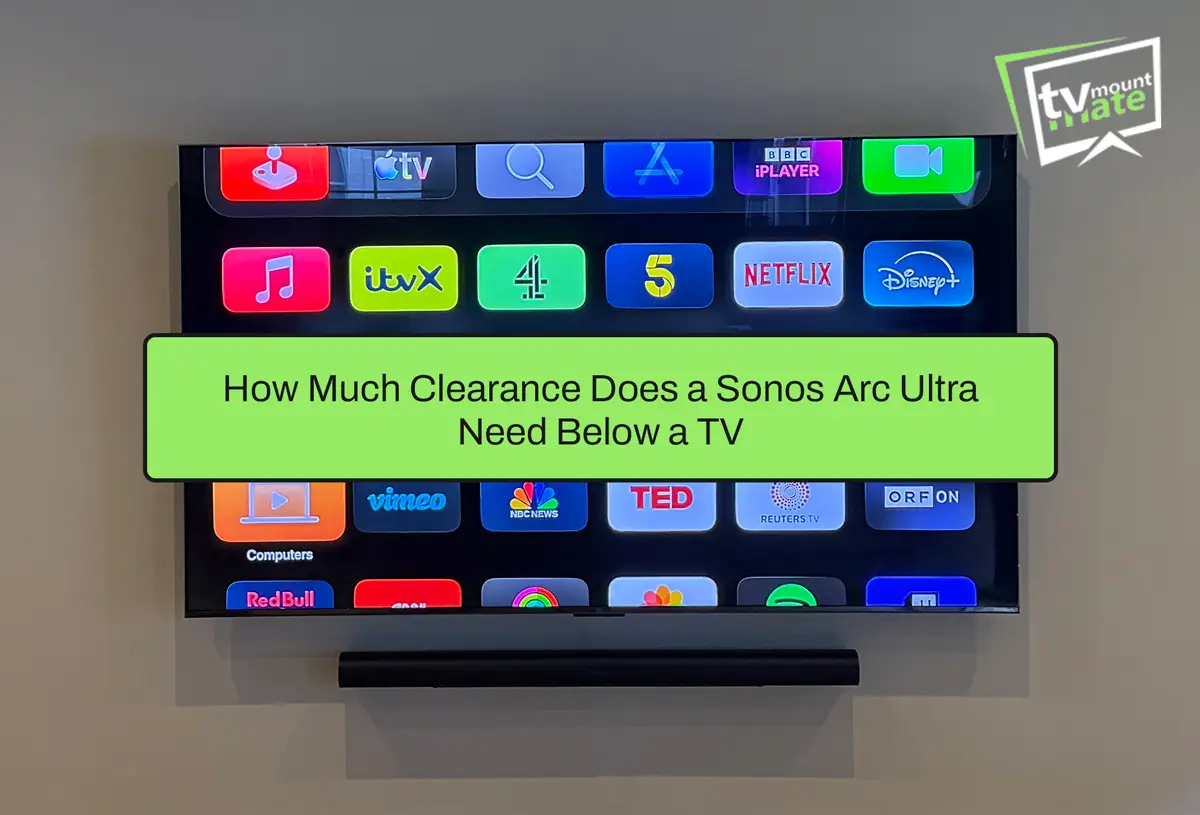
A soundbar needs its own power supply and enough clearance below the television so that it does not interfere with the screen or block the television’s remote sensor.
Manufacturers usually specify a minimum gap between the soundbar and television, so check the instructions before confirming the final mounting height.
Our guide to Sonos Arc Ultra clearance below a TV explains how bracket position, television depth and the finished gap work together.
Check Whether Devices Will Fit Behind a Flat-Mounted TV
Flat and flush-fitting brackets leave very little space between the television and wall.
If a streaming stick, HDMI adapter or cable connector needs more clearance than the bracket provides, it may not fit. It could also push the television further away from the wall than expected or place pressure on the connection.
Check the dimensions of every device and connector against the bracket’s stated wall clearance before buying a flush-fitting mount.
Choose Trunking or Internal Cable Concealment
Internal cable concealment is not possible on every wall.
The wall construction, existing cable route, socket position and cable type must all be checked first. On suitable plasterboard and stud walls, appropriate cables can sometimes be routed through the wall cavity.
On solid walls, or where the internal route is obstructed or unclear, surface trunking may be the more practical option.
Cable work is assessed and quoted separately through our TV cable-concealment service.
What One Remote May Control
Many televisions support HDMI-CEC, which may allow the TV remote to control basic functions on compatible soundbars and streaming devices, such as power and volume.
The available controls vary between brands, models and device settings, so this should be tested rather than assumed.
Voice control may also be available when the television and assistant are compatible. Supported commands vary between TV models, devices, accounts and regions.
A Verified Installation Example
A 65-inch Sony Bravia 8 II installation in Canary Wharf included an Apple TV, Philips Hue Sync Box, Hue Sync Lightstrip and Sonos Beam.
The television was mounted on a plasterboard wall with metal studs. One stud restricted the original cable path, so I adjusted the route before mounting the television and soundbar.
This installation shows why the connected devices, fixing points and cable route must be considered together before drilling.

Frequently Asked Questions
It can. Router distance, wall construction, nearby equipment and the television’s final position may affect wireless performance.
Test the connection where the television and streaming device will actually be installed, especially if the equipment will sit behind the screen.
Soundbar and connected-device setup can be added to a mounting appointment when included in the agreed quote.
It is not included automatically. Tell TV Mount Mate what needs mounting and connecting when requesting your quote so the complete job can be priced correctly.
A streaming device can add streaming features to a compatible television with the required HDMI connection, power supply and device support.
Check that the television has a compatible HDMI input and that the streaming device’s power requirements can be accommodated in the planned position.
Get a Fixed Quote
If you are planning a TV wall mount with a soundbar, streaming devices or a games console, tell us what needs mounting and connecting when you request your quote.
TV Mount Mate will consider the wall, bracket, cable route and device layout together and provide a fixed quote before booking.
About the Author
Written by: TV Mount Mate
Based on more than 10 years of hands-on TV wall mounting and over 6,000 completed installations.