
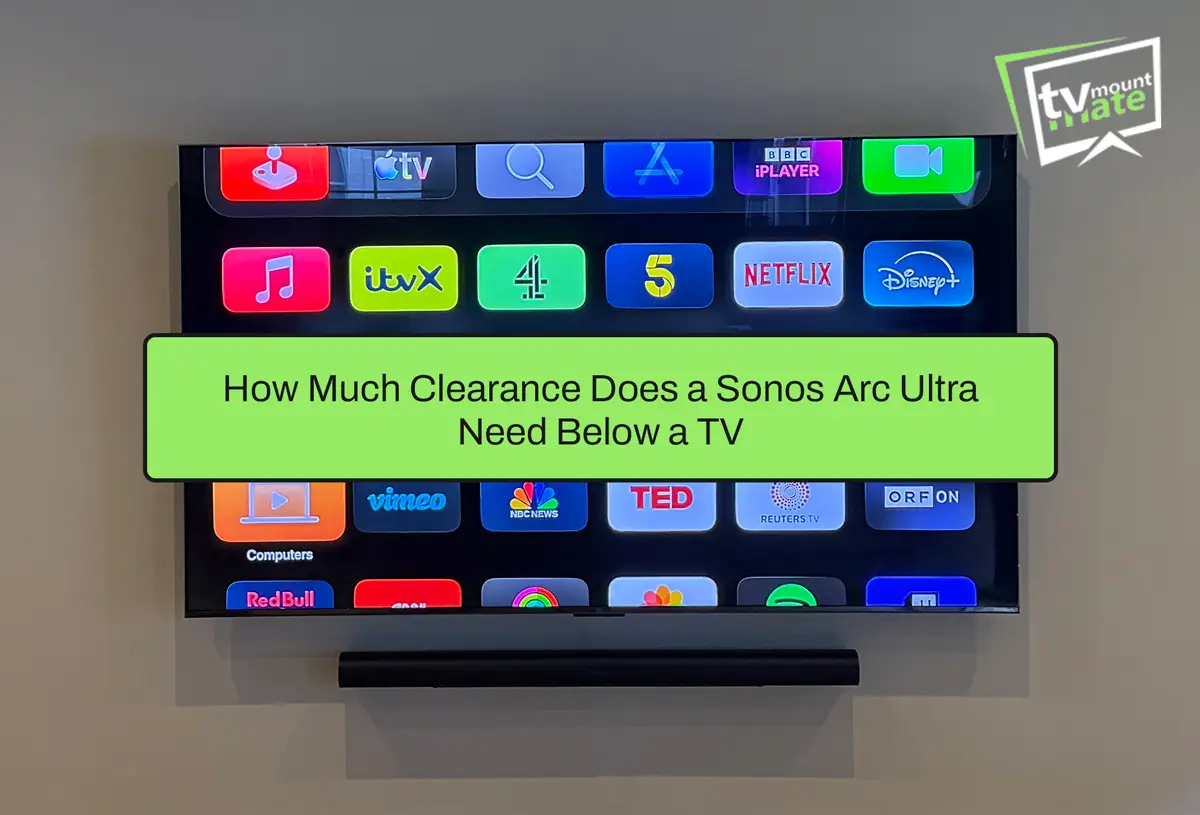
Sonos recommends leaving at least 10 cm between the top of the Arc Ultra and the bottom of the television. When marking the Sonos wall mount, its top edge is positioned 14 cm below the TV.
These measurements are taken from different points. The 10 cm figure is the finished gap above the soundbar. The 14 cm figure is the bracket-marking position used before the Arc Ultra is fitted.
| Measurement | Measured Between | Purpose |
|---|---|---|
| 10 cm | Top of Arc Ultra and bottom of TV | Minimum finished vertical clearance |
| 14 cm | Top of Sonos wall mount and bottom of TV | Bracket-marking position |
| 30 cm at each end | End of Arc Ultra and nearby obstruction | Recommended side clearance |
Follow the instructions supplied with your exact mount. A third-party or TV-attached soundbar bracket may use a different marking calculation. Sonos provides the complete measurements in its official Arc Ultra guide.
Why Does Sonos Arc Ultra Need Clearance Above It?
Arc Ultra has drivers designed to project sound around the room, including upwards. The top should not be obstructed by the television, a shelf or a cabinet.
The touch controls are also on top and must face upwards. Clearance is therefore about sound projection and physical access, not simply how the installation looks.
The ends of the soundbar also need space. Sonos recommends leaving at least 30 cm between each end and a nearby wall or obstruction.
Why Does the TV Bracket Affect the Arc Ultra Position?
A flat TV bracket keeps the screen close to the wall. A tilting bracket changes its angle, while a full-motion arm can bring the television much further forward when extended.
Sockets, plugs and cable connectors behind a close-fitting television can also push the screen further from the wall than expected.
I check the proposed arrangement from the side as well as the front. A 10 cm vertical gap may look correct straight on, but the television could still project over the top of the soundbar.
Before drilling, check whether the television will move independently of the soundbar and whether a full-motion arm could bring the screen into contact with it. Our guide to choosing a TV wall bracket explains how fixed, tilting and full-motion brackets behave differently.
Should Arc Ultra Be Fixed to the Wall or TV Bracket?
| Arrangement | Main Advantage | What Needs Checking |
|---|---|---|
| Separate wall mount | Arc Ultra remains fixed and can be levelled independently. | Wall construction, alignment, clearance and cable route. |
| TV-attached soundbar bracket | Soundbar may move with a compatible full-motion TV bracket. | Compatibility, combined movement, clearance and supported load. |
| Shelf or media unit | No soundbar wall fixings are required. | Stability, front-edge position and unobstructed top and sides. |
A TV-attached soundbar bracket is not automatically compatible with Arc Ultra. Check the specifications provided by both the soundbar-bracket and TV-bracket manufacturers.
A separate wall mount is often the most straightforward arrangement beneath a television on a flat bracket. TV-attached soundbar mounts can be useful when the television moves on a full-motion arm, but the complete movement and clearance must be checked.
See our soundbar wall-mounting options for more information about planning the television and soundbar together.
Does the Original Sonos Arc Wall Mount Fit Arc Ultra?
Yes. Sonos confirms that Arc Ultra is compatible with the original Sonos Arc Wall Mount. Its current UK accessory page describes the product as a wall mount for Arc and Arc Ultra.
Third-party Arc mounts and TV-attached brackets still need to be checked individually rather than assumed compatible.
Should Arc Ultra Go Above or Below the TV?
Below the television is Sonos’s recommended position, but mounting Arc Ultra above the TV is also officially permitted.
Below is usually easier for visual alignment, cable planning and access to the controls. If the soundbar is mounted above, its controls must still face upwards and its drivers must remain unobstructed.
The television height and soundbar position should be planned together. Moving the television too high simply to create space for the Arc Ultra can produce an uncomfortable viewing position.
Can Arc Ultra Go Inside a Cabinet or Recess?
Sonos says not to enclose Arc Ultra in a cabinet or position it in a corner. A tight recess, deep shelf or decorative enclosure can obstruct the top or ends.
A shelf or media unit is not automatically unsuitable. It can work when the soundbar is stable, sits near the front edge and has suitable clearance above and at both ends.
Plan the HDMI and Power Routes Before Drilling
Arc Ultra connects to the television’s HDMI ARC or eARC port using the supplied HDMI cable. Identify the correct television port before covering cables or fixing anything permanently.
Check the full cable length and power route before deciding the soundbar position. Connectors should not be trapped, bent sharply or placed under pressure once the soundbar is mounted.
Surface trunking is a practical option when internal concealment is unsuitable. Concealing cables inside a wall depends on the wall construction, cable type and available route. Adding or moving a socket, or altering fixed wiring, requires a competent electrician.
Our cable-concealment guide explains the available options in more detail.
An 85-Inch TCL and Arc Ultra in South Kensington
On 15 August 2026, I mounted an 85-inch TCL QD-Mini LED television with a Sonos Arc Ultra beneath it in South Kensington, SW7.
The wall was brick, and the television was installed on a flat wall bracket. We agreed the television position first and then calculated the soundbar position before drilling.
Approximately 10 cm was left between the top of the Arc Ultra and the bottom of the television. I also checked the installation from the side. The television did not project far enough forward to obstruct the soundbar, so no spacers or bracket changes were needed.
The Arc Ultra was attached to its own Sonos wall mount, separately from the television bracket. Its HDMI and power cables were arranged in visible surface trunking rather than concealed inside the wall. No socket was added or moved.
The finished television and soundbar were centred on the available wall and the television was powered on. The exact TCL model, TV-bracket model, Sonos mount product code and soundbar fixings were not recorded, so they have not been named here.

The most common positioning mistake I encounter is placing an Arc or Arc Ultra too close to the television because the customer wants the smallest possible gap.
Agree the television position first, measure the soundbar clearance before drilling and inspect the arrangement from the side as well as the front.
Frequently Asked Questions
The space helps prevent the television from obstructing the soundbar’s upward sound projection. It also leaves access to the controls on top.
The 14 cm measurement is taken between the bottom of the television and the top of the wall-mount bracket during marking. It produces the required finished clearance once the soundbar is fitted.
Sonos recommends mounting it below the television, but above is also permitted. In either position, the controls must face upwards and the soundbar must remain unobstructed.
Wall mounting can produce a clean arrangement beneath a wall-mounted TV, but the wall mount, television depth, clearance and cable route must be assessed together.
Yes. Sonos confirms that Arc Ultra is compatible with the original Sonos Arc Wall Mount. Third-party mounts still need individual compatibility checks.
Sonos advises against enclosing Arc Ultra in a cabinet or placing it in a corner. A shelf may work if the top and ends remain unobstructed.
Connect Arc Ultra to the television’s HDMI ARC or eARC port using the supplied HDMI cable.
It can move with the television only when fitted to a compatible TV-attached soundbar bracket. Check the supported load, complete movement and clearance before installation.
Get Advice Before Mounting Your Arc Ultra
For an installation quote, send:
Your postcode
TV make, model and size
Whether you have an Arc or Arc Ultra
A wide photograph of the wall
TV-bracket and soundbar-mount details
Socket positions
Whether you want visible trunking or concealed cables
TV Mount Mate provides a TV wall-mounting service across Greater London and selected parts of Essex and Kent.
You will receive a fixed quote before booking, with no deposit and payment on completion.
About the Author
Written by: TV Mount Mate
This guide is based on more than 10 years of hands-on TV wall mounting, soundbar installation and over 6,000 completed installations.